How it works

Create your account

You must be a verified member before Let’s Play is available in the menu.

What to do

  1. Click Register in the top menu.
  2. Enter your name, email, phone, address, and password.
  3. Verify your email and phone with the codes we send you.
  4. When verification is complete, log in to continue.

Screen preview
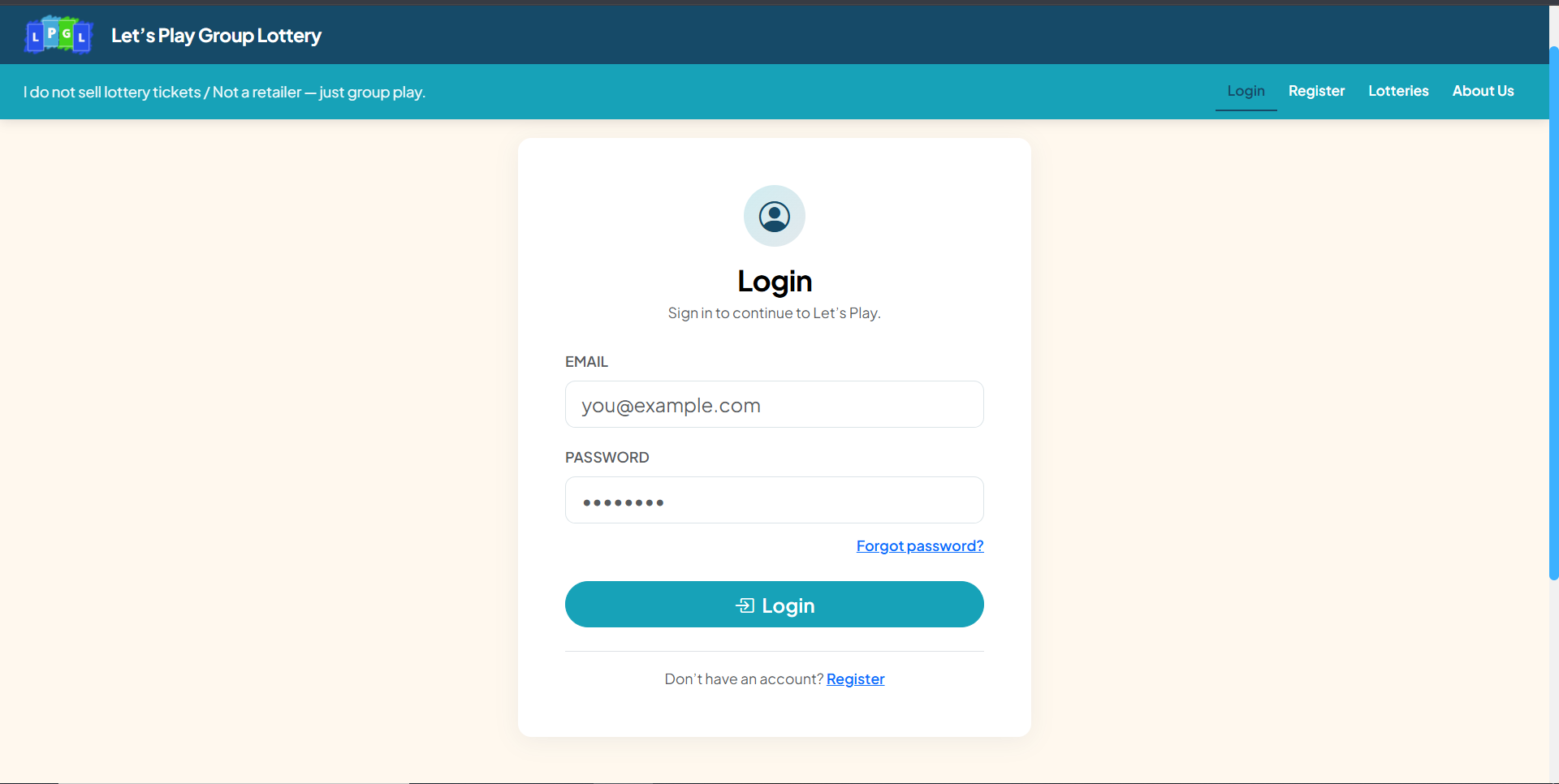
Step 1: Create your account
Step 1 — Create your account

Open Let’s Play

What to do

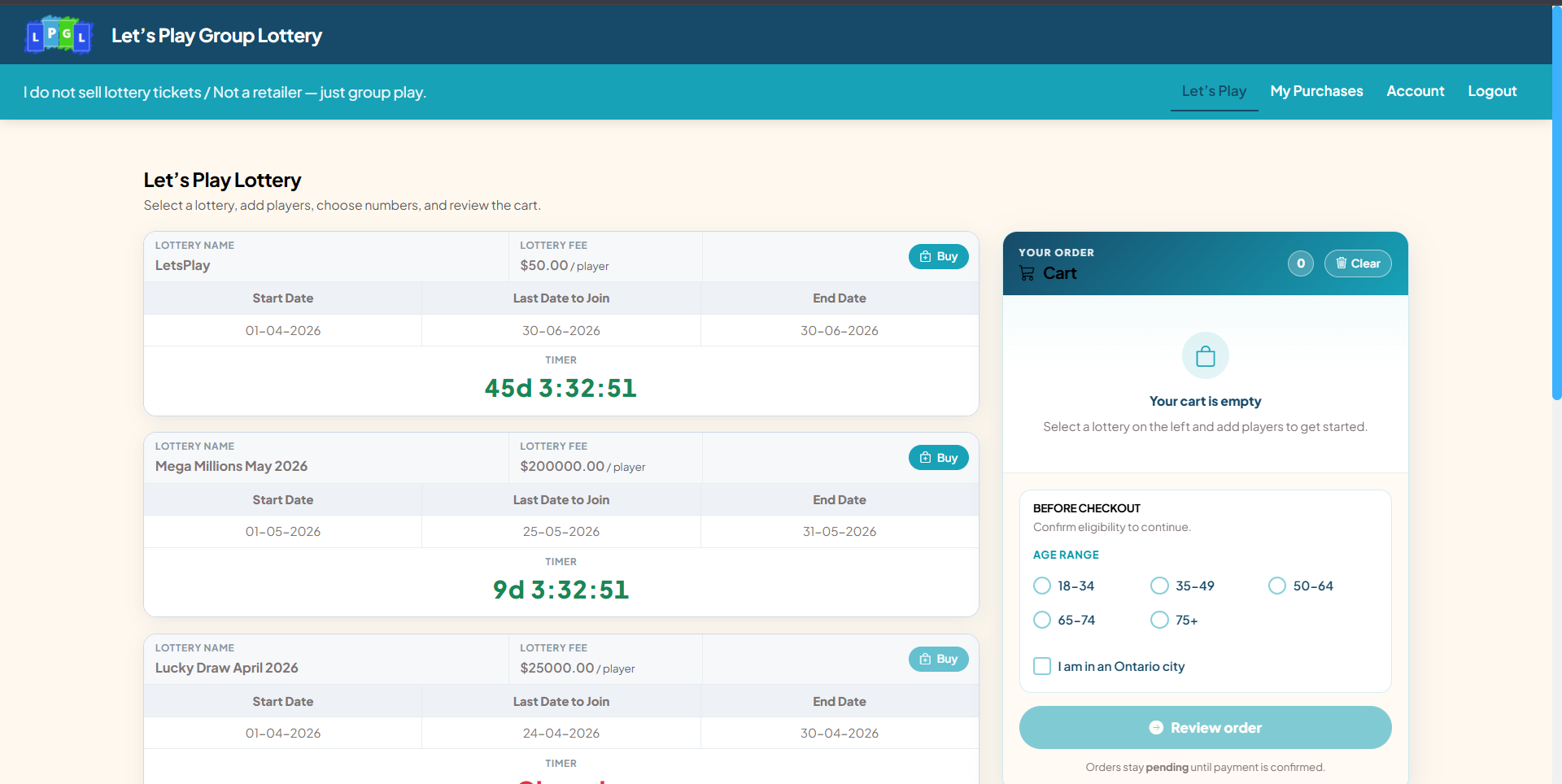
  1. After login, open Let’s Play from the navigation bar.
  2. You will see active lottery groups on the left and your Cart on the right.
  3. Each card shows dates, fees, and time left to join.

Screen preview

Step 2: Open Let’s Play
Step 2 — Open Let’s Play

Add a lottery to your cart

Join closes when the countdown reaches zero.

What to do

  1. Find the lottery you want to join.
  2. Click the green Buy button on that card.
  3. The lottery moves into your cart and opens the player form below it.
  4. To join another group, click Buy on a different lottery.

Screen preview

Step 3: Add a lottery to your cart
Step 3 — Add a lottery to your cart

Enter player name(s)

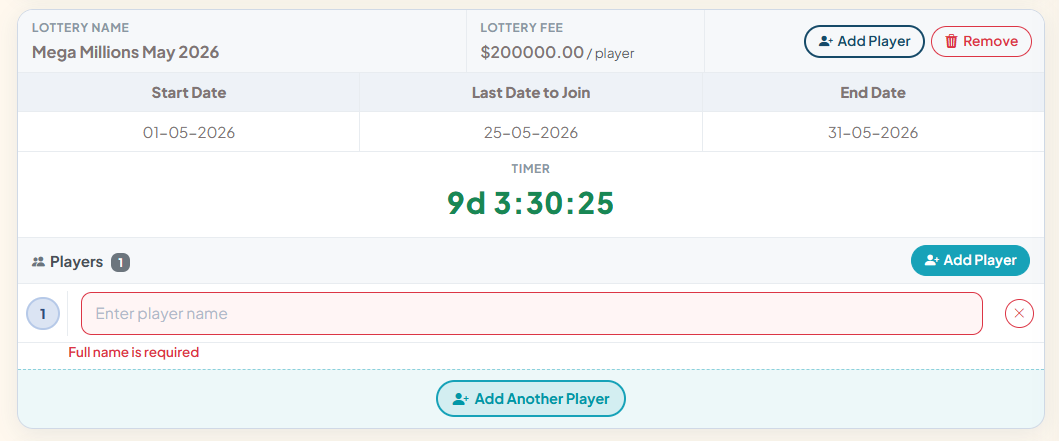
Every player in the group needs a name before checkout.

What to do

  1. Type each member’s full name in the player box.
  2. Use Add Another Player at the bottom to add more members in the same group.
  3. Use the × button to remove a player if needed.

Screen preview

Step 4: Enter player name(s)
Step 4 — Enter player name(s)

Quick Pick & Encore (if available)

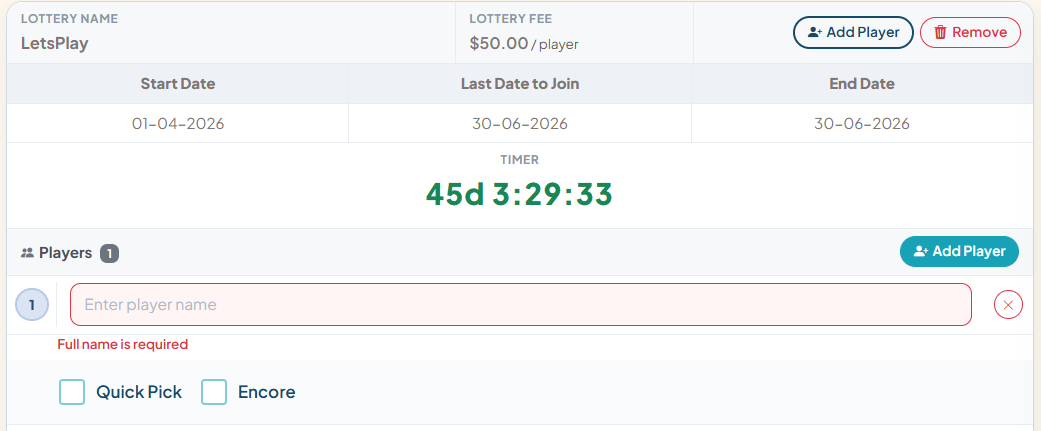
With Quick Pick on, lucky number boxes are filled automatically.

What to do

  1. Tick Quick Pick if you want numbers chosen for you (when the lottery allows it).
  2. Tick Encore if you want Encore on that ticket (when available).
  3. Options can differ per lottery — only shown when enabled for that draw.

Screen preview

Step 5: Quick Pick & Encore (if available)
Step 5 — Quick Pick & Encore (if available)

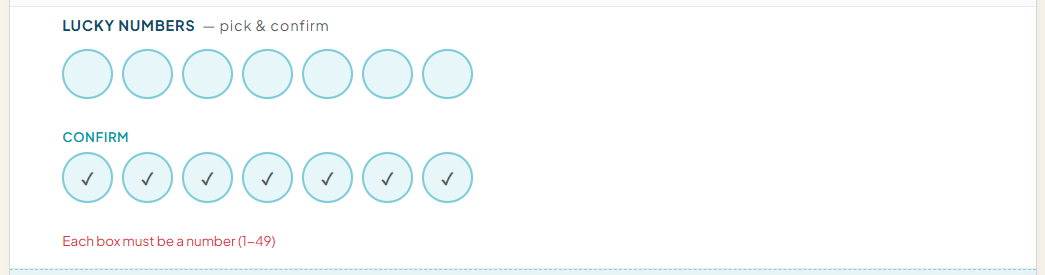
Choose lucky numbers

All boxes must be valid before you can review the order.

What to do

  1. Enter your numbers in the round circles (within the lottery’s min–max range).
  2. Re-enter the same numbers under Confirm so they match.
  3. Out-of-range numbers show a red border until corrected.
  4. Skip this step if you used Quick Pick.

Screen preview

Step 6: Choose lucky numbers
Step 6 — Choose lucky numbers

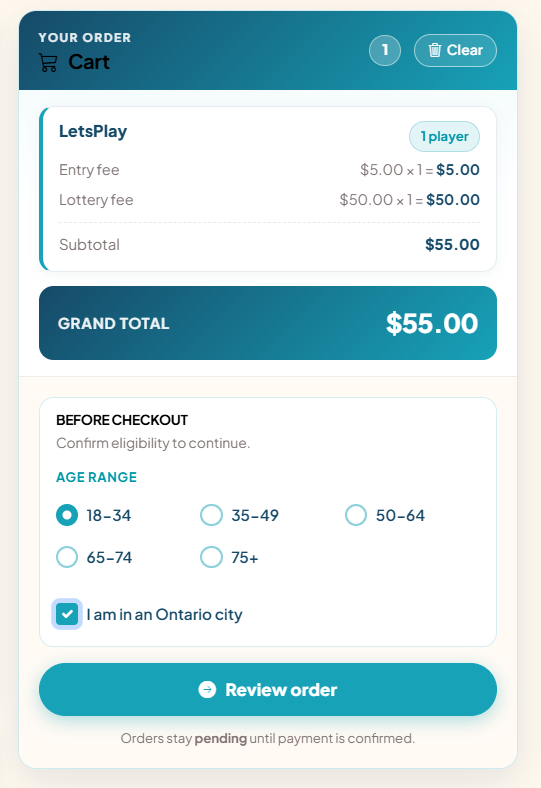
Review cart & eligibility

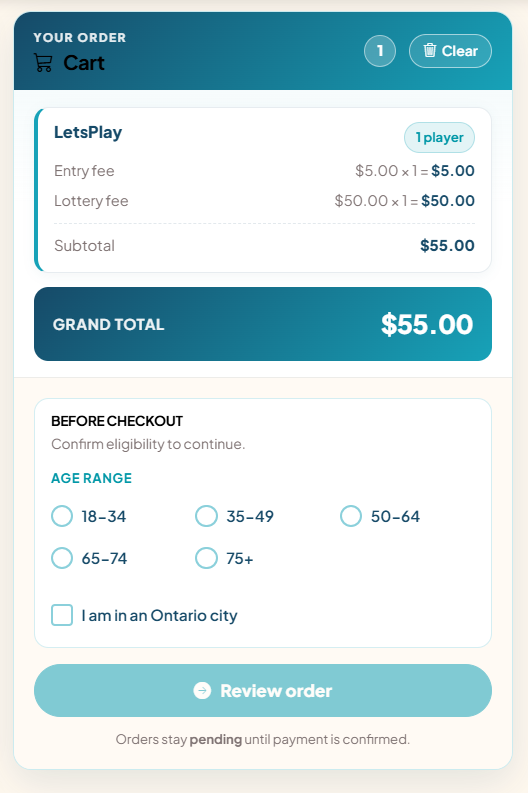
Entry fee and lottery fee are shown per player; grand total is at the bottom.

What to do

  1. Check each lottery and player count in the Cart panel.
  2. Select your Age range (18-34, 35-49, 50-64, 65-74, or 75+).
  3. Check I am in an Ontario city.
  4. Click Review order when the button is enabled.

Screen preview

Step 7: Review cart & eligibility
Step 7 — Review cart & eligibility

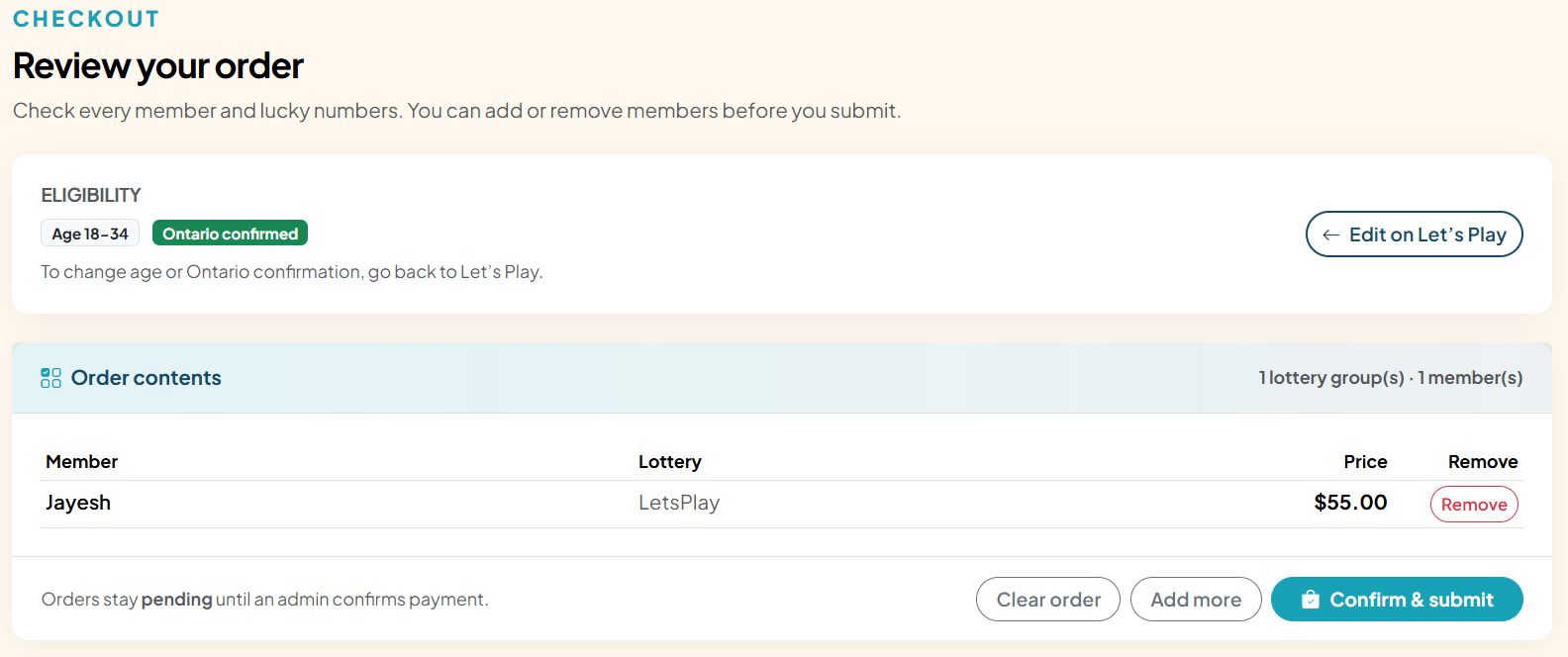
Confirm on the review page

What to do

  1. Check every member and lottery on the review screen.
  2. Use Add more to return to Let’s Play and keep your cart.
  3. Click Confirm & submit to place the order.
  4. You will be redirected to My Purchases with your order number(s).

Screen preview

Step 8: Confirm on the review page
Step 8 — Confirm on the review page

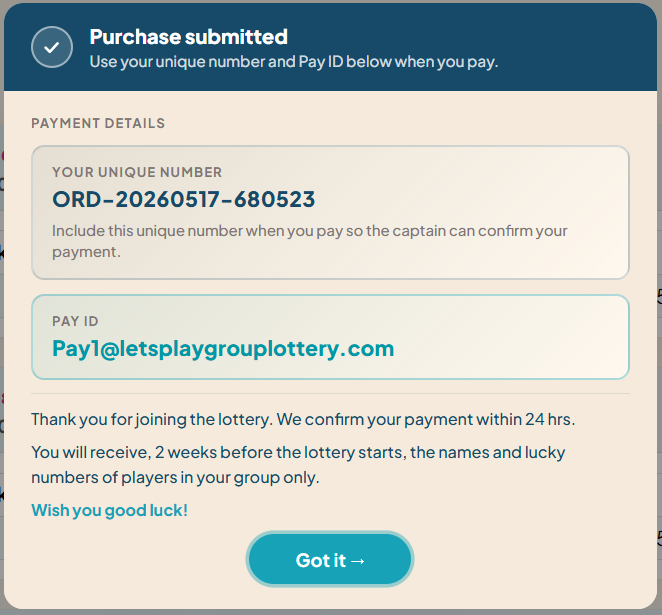
Payment information

Pay ID and notes are shown on My Purchases right after you submit.

What to do

  1. On My Purchases, you will see a green Purchase submitted message.
  2. Note your unique number — include it when you pay so the captain can confirm your payment.
  3. Below that, you will see Pay ID and payment confirmation notes.
  4. Send payment for the total shown; your order stays pending until we confirm it.

Screen preview

Step 9: Payment information
Step 9 — Payment information

Payment confirmation email

The email is sent automatically when payment is confirmed in the admin panel.

What to do

  1. After an admin marks your order as paid, you receive a confirmation email.
  2. The subject line is Payment received for order followed by your order number.
  3. The email lists your order number, lottery name, and amount paid.
  4. Your tickets stay available under My Purchases with status paid.

Screen preview

Step 10 — Payment confirmation email

Ready to play?

Register, verify your account, then start a group order on Let’s Play.

Go to Let’s Play Read FAQ